Heavy paperwork once overwhelmed our daily routines, but now, technology automation trends shift the landscape and streamline most repetitive tasks into effortless, reliable processes.
Busy schedules leave little time for manual chores. Embracing technology automation trends enables individuals to reclaim lost hours, boost focus, and create smoother, error-free workflows across both homes and workplaces.
Let’s dive into practical ways digital innovation actively reduces manual work. This article reveals scenarios, checklists, and habits you can use to leverage technology automation trends immediately.
Leveraging Routine Automation for Daily Gains
Readers develop habits for consistent productivity by embracing software tools that automate bill payments, calendar management, and task lists. This shift ensures crucial deadlines and appointments stay visible.
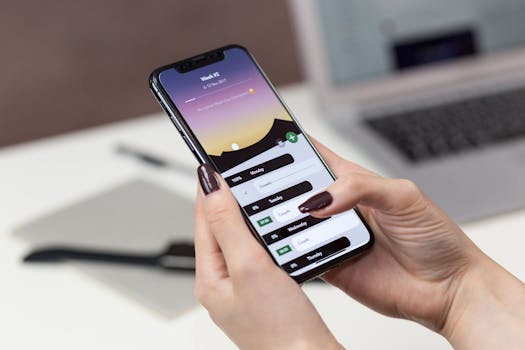
For instance, scheduling apps alert users with visual cues and mobile notifications, so weary glances at sticky notes get replaced with real-time reminders and smooth transitions between tasks.
Email Sorting: The “Set-and-Forget” Process
Auto-filters separate work messages from personal notes, using technology automation trends to categorize content. Instead of hunting for specific files, a quick glance reveals exactly what matters.
Following rules like moving invoices to labeled folders, users save precious minutes. Copy this: “Move all order receipts to the Expenses folder by subject keyword”—simple rules build consistency.
Color-coded alerts prevent important requests from being lost in endless inbox scrolling. With one setup, users catch urgent issues before distractions take priority, improving overall responsiveness.
Smart Home Devices: Scenario Building
Imagine someone saying, “Alexa, I’m heading out.” Instantly, lights dim, doors lock, and the thermostat adjusts. Technology automation trends turn household routines into seamless experiences.
Users fumble less with switches and remotes, while entrance sensors keep spaces secure. This tangible feedback—from lights off to temperature set—saves mental energy for more meaningful tasks.
Routine builders set weekday automations, like coffee makers turning on every morning at 6:30 AM. The outcome: one less thing to remember, giving a calm start to each busy day.
| Task | Manual Method | Automated Tool | Practical Next Step |
|---|---|---|---|
| Bill Payments | Write checks monthly | Auto-pay through banking app | Set up recurring charges for peace of mind |
| Meeting Scheduling | Email back and forth | Use Calendly or integrated calendar invites | Share your availability link |
| Project Reminders | Manual notepad/journals | Digital task managers (Asana, Todoist) | Create project templates and recurring tasks |
| Home Security | Check locks manually | Smart locks and alerts | Enable notifications for instant updates |
| Expense Tracking | Save receipts by hand | Photo-based receipt scanners | Install and connect scanner to email account |
Streamlining Workflow With AI-Powered Solutions
Implementing artificial intelligence helps readers reduce tiring data entry and double-checks, freeing time for deeper projects as technology automation trends accelerate office efficiency and accuracy.
When a graphic designer uploads images, AI tags them with relevant keywords, so future searches find needed assets within seconds, minimizing back-and-forth clicking and lost files.
AI for Data Entry Consistency
Tools like OCR (optical character recognition) scan paper documents and instantly transfer content into spreadsheets. This turns hours spent typing into minutes of review and approval.
Picture saying, “Just scan this batch of invoices.” The software then pulls vendor names, totals, and dates—eliminating copy/paste errors that pile up with manual work.
- Adopt AI-enabled scanners to automate paperwork: Reduces typo risk, increases consistency. Place documents on the scanner, select data fields, and review the digital output for quick importing.
- Create standard file-naming conventions: Improves search and retrieval. Program templates so each document gets an automatic, searchable name based on date, vendor, or topic.
- Batch process paperwork: AI can process large groups quickly. Collect like items together, feed them into the workflow, and ensure results appear in a single database for easy tracking.
- Schedule regular AI reviews: Maintain data quality over time. Set policies for periodic audits, catch inconsistencies, and use alerts when anomalies appear.
- Share workflow blueprints with coworkers: Promotes buy-in and collective efficiency. Train team members using step-by-step guides for easy adoption of new tools.
When routines and naming are the same every time, teams spend less energy correcting mistakes and more time bringing ideas to life.
Smart Calendar Integration Boosts Focus
Integrating multiple calendars reduces accidental double-bookings and missed commitments, further illustrating how technology automation trends shape time management. Events sync across devices, so updates never get lost.
- Connect work and personal calendars: Keeps commitments visible. Enable two-way sync so every change—be it work meeting or family lunch—shows up everywhere, avoiding calendar conflicts and surprises.
- Set automated reminders for prep time: Block pre-event buffers. Reserve extra time for travel or draft preparation, so you’re not caught unprepared when meetings begin.
- Automate recurring appointments: Reduces repetitive entry. Use built-in calendar repetition for weekly reports, monthly check-ins, or yearly reviews, all handled in advance and with notifications.
- Color-code by priority: Helps focus during busy weeks. Assign hues to tasks (red for urgent, green for personal), letting you scan your schedule and spot crucial activities at once.
- Share availability links: Streamlines scheduling with others. Let coworkers or clients choose a free time from your shared window, replacing lengthy back-and-forth emails.
These calendar tricks allow users to shift mental energy away from worrying about forgotten meetings and toward more creative or impactful work, making every hour count.
Reducing Manual Input with Voice Commands
Adopting smart speakers and mobile assistants lets people complete multi-step actions by voice, as technology automation trends reduce friction for basic household and office tasks.
For example, instructing a device, “Schedule dentist appointment next Friday at 10,” records the reminder and adds location, skipping any need to write or tap details.
Prompting Voice-Activated Reminders
Voice assistants handle quick reminders—”Remind me to pick up dry cleaning at 5 PM Tuesday.” This gets logged instantly, and an audible chime ensures users don’t forget important stops.
Setting multiple reminders in a row is simple: “Add dog groomer at 9 AM Thursday, then order groceries at noon.” The system stacks tasks and checks them off once done.
Switching between work and home mode feels smooth, as a single command updates multiple lists—just say, “Start my morning schedule,” and watch the system execute email checks and alerts.
Managing Smart Devices by Voice for Accessibility
Smart bulbs, thermostats, and locks respond instantly to spoken requests. This provides practical help, especially for users juggling full hands or navigating mobility challenges in busy moments.
Telling a system, “Turn off kitchen lights,” or “Lock all doors,” results in visible confirmation. Heard or seen feedback confirms requests are understood, building trust in technology automation trends daily.
This analog-to-digital shift replaces fiddling with switches or keys, leaving more time and energy for family, hobbies, or rest, one short voice command at a time.
Optimizing Repetitive Business Tasks with Automation Rules
Building software automations in offices transforms legacy routines. Individual contributors and managers use scripts, standard templates, and macros for predictable outcomes without extra oversight.
Technology automation trends guide IT teams to map step-by-step instructions—such as “email daily report at 8 AM”—then assign that sequence to a single trigger.
Streamlined Onboarding With Automated Checklists
HR teams hand new hires digital forms, orientation videos, and compliance guides that immediately sync to HR systems. The checklist confirms every step is complete before the first workday, no guesswork.
Managers receive progress updates and send digital nudges (“Finish payroll form,” “Read policy A”). This ensures everyone gets clear directions and fewer onboarding gaps appear down the line.
For recurring projects—like quarterly audits—automated templates walk teams through tasks. If someone misses a step, the system flags the gap and offers a one-click fix.
Integrations and Error-Proofing for Data Consistency
Connecting accounting software to inventory tools keeps numbers aligned. For instance, purchases reduce stock automatically, so reporting no longer involves dual-entry spreadsheets or manual tallies.
Rules alert users when numbers mismatch (“Notify accountant if totals exceed budget”). Consistency improves, and time spent fixing errors drops, thanks to clear technology automation trends driving system checks.
Frequent changes to pricing or customer data also update everywhere—once. Typing the info once sends it across the organization, creating a single, reliable source of truth every time.
Enabling Personal Productivity With Automated Routines
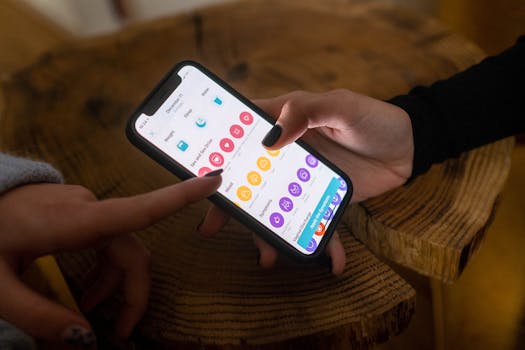
Readers can adopt routines using digital habit trackers and workflow automation tools for personal goals—meditation reminders, exercise prompts, or healthy meal logging—guided by technology automation trends.
Setting rules like “log water intake at lunch” or “remind me to stretch hourly” nudges users toward better choices, making healthful habits stick without constant self-monitoring or forgetfulness.
Morning Ritual Scripts for Better Days
Launching a “good morning” scene through a phone launches calming music, opens weather apps, and displays today’s top three priorities, all pre-chosen based on prior habits and stated targets.
This seamless start lets users focus intention on what matters, not device fiddling. Seeing a tailored, actionable plan removes guesswork; it boosts confidence for whatever challenges midday holds.
Technology automation trends inform which routines receive digital support: The planner suggests breakfast options, commute details, and when to leave, all based on traffic and previous mornings.
Evening Wind Down Automations
At bedtime, a single click or phrase dims lights, locks doors, lowers screens, and plays a favorite podcast or audiobook chapter. Routines adjust to family needs each week automatically.
Parents teaching teens independence set up clean-up reminders and study cues at fixed times, with progress tracked on both parent and teen devices—a positive accountability structure guided by automation.
Each tiny automation frees cognitive space. Instead of remembering each detail, families work together, letting digital tools keep track so family time feels more relaxed and connected.
Building Agile Businesses Through Adaptive Automation
Applying adaptive systems allows businesses to shift gears quickly. As technology automation trends evolve, leaders automate change management, compliance checks, and performance analytics in days, not months.
For example, retail managers update store hours or promotions in a dashboard, and automation pushes those updates everywhere—in-store kiosks, web pages, and phone systems—reducing manual phone calls and miscommunications.
Microprocess Automation in Crisis Response
When a supply chain issue emerges, automated alerts flag disruptions and suggest alternate suppliers. The manager receives three vetted options, avoiding panic calls or missed deliveries.
Integrating rule-based systems ensures no critical incident gets overlooked. Technology automation trends speed up recovery decisions and avoid snowballing issues often caused by unclear communication lines.
Teams can practice crisis drills with automation, letting software grade responses and highlight where workflow or instructions fell short. This proactive style makes adaptation smoother in tense moments.
Scalable Personalization in Customer Service
Automated chatbots answer routine product inquiries: “When will my order arrive?” This reduces wait times and ensures every customer receives consistent, accurate information at any time of day.
Feedback forms route negative reviews for human follow-up, while positive comments auto-generate thank-you emails or reward discounts. Customers notice personalization and quick replies, which raise loyalty rates.
Technology automation trends allow businesses to fine-tune customer journeys. This saves live agents for nuanced conversations, while repetitive requests get efficient, scripted responses every time.
Continuous Refinement With Feedback-Driven Automations
Regular analysis and user feedback help organizations improve scripts and workflows. Technology automation trends demand periodic review so tools remain relevant and helpful for both new and returning users.
Set up monthly review sessions. Teams look at metrics, scan logs for gaps, and fix or enhance automations. This process ensures small frustrations don’t grow and effectiveness stays high.
- Schedule feedback surveys: Pushes targeted questions to users monthly. Gather honest opinions while tasks are fresh, and adapt routines based on clear, current data.
- Use analytics dashboards: Monitors workflow bottlenecks. Spot tasks that drag down efficiency and adjust scripts in real time to recover wasted effort.
- Test scripts in sandbox mode: Safely trial upgrades. Run parallel automations to confirm changes work before updating full production systems—minimizes disruption and builds trust in new workflows.
- Keep documentation dynamic: Update help guides as automations evolve. Store revised instructions where everyone can see them, so adoption stays strong and support requests decrease.
- Hold routine training: Helps users keep up with new tools. Offer short, scenario-based lessons after each change, encouraging quick adoption and minimizing confusion or resistance to updates.
Emphasizing these feedback strategies ensures that solutions based on technology automation trends actually improve daily routines rather than add complexity or slowdowns.
Practical Takeaways on the Shift Away from Manual Work
Looking back, clear patterns emerge: technology automation trends allow routines and workflows to become easier, more reliable, and far more productive across industries and homes.
Integrating these tools isn’t about flashy new apps, but about creating space each day to focus on the tasks that require human attention, empathy, or decision-making rather than routine operations.
Adopting feedback-driven, evolving automation frameworks ensures your efforts stay relevant and impactful—helping every individual and business reduce manual work and achieve lasting, real-world gains.