Tech Trends
Digital Trends That Improve Personal Organization
Explore digital organization trends that make life streamlined, organized, and stress-free. Learn actionable strategies, automation tips, and practical tools for a more productive and balanced routine.
Advertisement
Color-coding calendars no longer means just sticky notes or highlighters. Digital organization trends now transform how people track, sort, and plan every aspect of home and work life.
Staying on top of commitments, projects, and personal information used to overwhelm. As digital organization trends evolve, access and management are streamlined, empowering users to reclaim time in meaningful ways.
Settle in for practical inspiration as we explore digital organization trends, actionable ideas, and useful tools that you can apply immediately for a more manageable, organized daily routine.
Automated Calendars Create Reliable Routines
Automated calendar syncing puts predictability into your schedule. This digital organization trend eliminates conflicts by consolidating events from work, home, and social platforms into one dashboard.
Digital calendars do more than replace paper planners. They ping reminders, auto-reschedule missed events, and let you color-code priority tasks — all within seconds, so nothing slips through the cracks.
Synchronizing Events Streamlines Commitments
Imagine a parent entering “doctor appointment” once; it appears on every device and family member’s shared calendar. This efficiency keeps families or teams aware, minimizing confusion or forgotten events.
Work teams frequently use the phrase, “Is this on the shared calendar yet?” That’s because digital organization trends emphasize universal access, so every member knows what’s next and where to be.
Try setting rules like “all work deadlines are red, personal events are blue.” Visual cues help anyone scanning their day spot priorities fast, boosting clarity and prompt action.
Intelligent Alerts and Time Block Management
Customizable reminders help users avoid double bookings and late arrivals. Setting alerts for critical appointments frees mental energy for more urgent jobs.
Time blocking mimics the classic puzzle effect: each chunk of focused work fits beside downtime or errands. This digital organization trend maximizes output without burning out.
Let the app’s built-in analytics spot patterns — such as “Tuesday afternoons often remain free” — enabling smarter planning for focus or rest.
| Feature | Benefit | Best Use Case | Action Step |
|---|---|---|---|
| Sync Across Devices | No lost appointments | Families, Hybrid Teams | Set up one master calendar and link devices |
| Color Coding | Visual clarity | Multiple role management | Assign colors to distinct categories |
| Automated Reminders | On-time performance | Deadlines, Meetings | Enable custom popup notifications |
| Recurring Events | Time savings for routine plans | Classes, Weekly Tasks | Set repeat schedules for recurring events |
| Shared Links | Easy group access | Project Teams, Families | Email out calendar links when planning |
Task Management Apps Tame To-Do Lists Easily
Digital organization trends have made managing daily to-do lists seamless, from assigning deadlines to separating wish lists from actionable tasks. Apps offer flexibility to suit personal work styles.
Dragging tasks between digital boards or checking boxes on a smart list helps you track progress, declutter your mind, and ultimately set priorities with a single tap or swipe.
Weekly Sprint Planning Builds Momentum
Begin each week by listing top priorities for work and home life in your task app’s dashboard. Sprint blocks nudge users past procrastination, one chunk at a time.
People say, “I’ll just move this to Friday.” Within most task apps, dragging a card or tapping a new date makes shifting easy — so nothing lingers forgotten.
- Start new sprints every Monday to reset focus and energy; keep lists short for a realistic sense of progress, not overload.
- Color-tag urgent tasks separately to direct attention; red for now, blue for later, so high-priority jobs never hide behind less essential chores.
- Use checklists for recurring routines like shopping or housework. Duplicate and clear them weekly to avoid repetition fatigue and visualize steady progress over time.
- Archive completed lists monthly to clear digital clutter; drag finished tasks into “Completed” so only pending jobs remain visible, which prevents feeling bogged down.
- Invite others to team boards for shared chores or projects; use comment threads to clarify, cheer each other on, and avoid duplicate efforts.
With these steps, anyone can transform overwhelming to-dos into a set of small, satisfying wins daily or weekly.
Project Tracking Turns Small Steps Into Big Progress
Break big projects into subtasks in a list or board. Marking each mini-goal gives a real sense of momentum, not just a single overwhelming deadline looming.
- Create parent projects and link subtasks to clarify the sequence; keep larger goals within sight while advancing one piece at a time.
- Assign subtasks due dates and auto-reminders for small milestones, so the big picture doesn’t blur out details or leave progress stalling.
- Use templates for repeated projects, such as product launches or monthly budgeting; save time setting up and ensure you never skip an essential step.
- Attach files and notes to each step. Store supporting documents with the task for easy reference, never fumbling for the right spreadsheet or image.
- Leverage calendar sync so tasks with deadlines display alongside your main events, reducing nasty surprises and allowing for contingency time blocks.
By detailing and celebrating each puzzle piece, project progress gains real momentum, keeping even complex goals moving comfortably forward.
Smart Notes Enhance Recall and Collaboration
Good notes boost collaboration and recall. Digital organization trends now let users capture, organize, and retrieve information in seconds—no more flipping pages.
Text, audio, and even photos unite inside digital notebooks. Tagging, linking, and shared access make information immediately useful, wherever and whenever it’s needed most.
Linking Notes for Tangible Connections
When linking related notes, you create a web of information that mimics how you brainstorm or mind-map. This digital organization trend makes research, brainstorming, or personal journaling instantly retrievable.
For example, collecting “recipes” that link to “market shopping lists” and “meal planning” builds fast recall and eliminates back-and-forth searching at dinnertime.
Anyone can experiment: While reviewing a meeting note, link action items to project outlines and schedule them for execution, so related tasks are just one tap away.
Sharing and Real-Time Collaboration
Invite colleagues or family to contribute notes on shared notebooks. Feature permissions control who can edit, view, or comment, keeping information accurate yet interactive for projects or shared research.
Real-time updates—like annotating PDFs together during meetings—mean decisions and revisions are recorded in one place, reducing misunderstandings or lost edits.
Establishing a “meeting notes” notebook, then tagging action items with “follow-up,” lets all members stay accountable and informed without separate reminders or emails.
Cloud Storage Secures and Synchronizes Files Effortlessly
Cloud-based storage ensures personal and professional files are accessible from anywhere, anytime. This digital organization trend eliminates USB drives, lost thumbsticks, and manual version control headaches.
Security features like two-factor authentication, selective folder sharing, and remote wipe protect sensitive data, making cloud storage a dependable digital organization trend for all users.
Choosing Reliable File Structures
Establish a folder structure mirroring how you naturally search for information — for example, organizing business contracts by client, not just by year or type.
Naming files clearly (“2024_invoice_North_Project.pdf” instead of “scan23.pdf”) means instant retrieval later, thanks to robust search features baked into every leading provider.
Dedicate a “To Sort” folder for rapid uploads, then set aside 10 minutes weekly to clean and categorize, keeping digital sprawl in check and files discoverable fast.
Collaborative Workflows Simplified
Shared folders streamline teamwork for couples, families, or project teams. People upload reports or budgets straight to a central space, enabling everyone to view updates instantly and add or edit files as needed.
Version history tools allow contributors to revert unwanted edits without overwriting others’ changes. This control gives peace of mind for shared work documents, freelance contracts, or even family photo albums.
Syncing cloud storage with mobile devices means receipts, important PDFs, or travel confirmations are always at hand. No more digging through inboxes or desktop folders.
Personal Dashboards Aggregate Daily Organization Tools
Instead of juggling several apps, central dashboards now gather calendars, notes, contacts, and reminders into unified interfaces — a significant leap in digital organization trends.
This “command center” view offers instant situational awareness: see urgent reminders, due tasks, and new messages anytime you log in, with fewer taps and less wasted motion.
Custom Widgets Speed Up Daily Choices
Arrange widgets showing weather, meetings, or news where they catch your eye first thing. Hide less-used features to tailor what appears, reducing visual and mental clutter quickly.
Set up automations so checking off a task adjusts your day’s tracking: “When meeting complete, start project review timer next.” These rules create smooth transitions from one activity to another.
Experiment with daily “Focus Mode” toggles that block out distractions and display essential items only. Copy what works from analog routines into digital form, then tweak for tools you trust.
| Dashboard Feature | Most Useful For | Setup Time | Pro Tip |
|---|---|---|---|
| Custom Widgets | Tracking priorities | 5 minutes | Place high-impact widgets top-left for visibility |
| Calendar Integration | Quick scheduling | 10 minutes | Sync work and home calendars for full view |
| Notes Integration | Idea capture | 3 minutes | Add “Quick Add” shortcut to home screen |
| Focus Mode | Reducing distractions | 1 minute | Set start/end times tied to routine cues |
| Reminder Toggles | Deadline tracking | 2 minutes | Automate daily reminders with if/then presets |
With dashboards, manage personal and professional life without toggling between apps, ensuring no critical items are overlooked in your digital universe.
Voice Assistants Deliver Zero-Hands Organizing
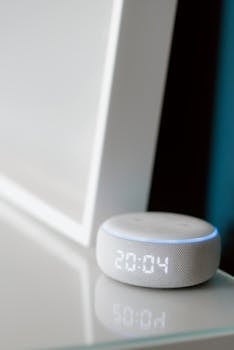
Voice-driven AI now schedules events, sets reminders, and answers questions without manual input. This digital organization trend brings accessibility and speed to hands-busy or vision-limited users.
Natural-language requests — “Remind me to call Sara at 3 pm” — replace swiping. The virtual assistant converts voice into actionable calendar events, so daily planning fits any routine seamlessly.
Integrating Voice With Existing Tools
Enable your device’s assistant to connect to notes apps, task boards, and cloud storage. This integration lets voice-triggered commands actually create content in real-time.
If you’re cooking and remember a to-do, just say it out loud — the assistant picks it up, logs it, and you keep working. This hands-free magic keeps productivity flowing.
Syncing with your commute, ask, “What’s next today?” The assistant reads out meetings or ticking-time alerts, prepping you for action before arriving at work or appointments.
Routine Audits and App Reviews Sustain Long-Term Order
Periodic self-audits of toolsets and workflow habits support longevity. The best digital organization trends create enduring systems, not just one-time fixes.
End every month with a “system health check” — review which apps you actually use and where digital clutter accumulates. Eliminate features or routines that no longer serve real-life priorities.
- Schedule a monthly notification: “Declutter digital files & refresh app routines” to keep your toolkit tight and relevant.
- Scan for unused apps taking up space or adding notification noise. Remove or mute them, so only essential tools remain visible.
- Refresh templates and color schemes every few months to maintain motivation. A fresh visual reboot prevents digital fatigue and encourages regular engagement.
- Check cloud storage folders for duplicates or outdated versions. Remove or compress files, then archive irreplaceable items to a secure external location.
- Solicit input from collaborators or family members periodically, ensuring your shared systems support everyone’s evolving needs and aren’t built in isolation.
Over time, routine app reviews help digital organization trends evolve alongside your life’s changing rhythm, sustaining productivity and clarity.
Boosting Everyday Control With Digital Organization Trends
Using digital organization trends reshapes daily life, offering clarity and calm as technology aligns with real-world routines and unique preferences.
Applied thoughtfully, these trends mean more than tracking tasks or deadlines—they’re about building sustainable workflows and empowering better choices every day.
Reflect regularly on what works and update your stack. Digital organization trends are here to help you take charge, adapt, and thrive, one routine at a time.