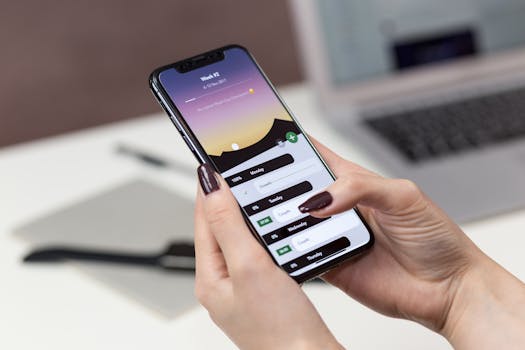
Smartphones have become a natural extension of our daily routines, offering personalized help at every tap. As new technology arrives, our relationship with apps deepens and becomes more seamless.
Thanks to rapid advances, AI in mobile apps now shapes everything from how we chat to the way we shop, stream, and organize our work. These changes are visible, tactile, and impactful.
Curious about how intelligent technology upgrades real mobile experiences? Dive in to discover concrete shifts, real examples, and step-by-step advice for thriving in the age of AI in mobile apps.
Boosting User Experience with Real-Time Personalization
Personalization rules make each app session unique for a user. The outcome: relevant features surface when needed, and preferences shape content in every corner of the interface.
If you notice recommendations aligning closer to your habits each day, AI in mobile apps is working behind the scenes. This shifts the entire rhythm of app engagement.
Direct Personalization Rules Change Every Tap
AI software spots micro-preferences—like late-night browsing or repeated searches for recipes—and adjusts interface elements. Next time you log in, familiar content instantly appears.
Example: After several searches for Italian food, the home feed begins showing pasta tutorials and local Italian restaurants, nudging you to choose relevant options with little friction.
This continuous learning revises what you see, keeping experiences fresh as your tastes and habits evolve, day by day, for a more human-like, effortless session.
Prompted Actions Save Time—Just Copy These Scripts
When the app flashes a pop-up—”Would you like to reorder last week’s lunch order?”—this is AI in mobile apps detecting your routine. You respond with a tap instead of navigating menus.
Example script: Accept the prompt with, “Order that again.” The AI recreates your previous selections, handling delivery time and payment in seconds without extra instructions.
Best practice: Use short commands, acknowledge suggestions, and confirm or decline. This cycles the learning loop and drives faster, smarter service over time.
| Aspect | Pre-AI | AI-Driven | Takeaway |
|---|---|---|---|
| Recommendations | Generic lists | Custom for each user | Enjoy relevant suggestions always |
| Search results | Unfiltered, broad results | Tailored to intent and history | Find what you want faster |
| Notification timing | Fixed schedules | Adaptive to user habits | Reduce interruptions |
| User interface | Static layouts | Dynamic elements based on use | More intuitive layout daily |
| In-app ads | Same ads for all | Relevant to interests | Less clutter, more value |
Enabling Seamless Communication Through Smart Features
Seamless conversation stands at the heart of modern app utility. AI in mobile apps now bridges people and devices with smarter, more context-aware language processing.
This improvement means users see autocorrect, voice commands, and real-time translation features working reliably. Frustration drops, while understanding and efficiency jump up.
On-Device Assistance Transforms Multilingual Messaging
AI now powers live translations for chat, making it possible to text in your preferred language but connect naturally with global friends, colleagues, or customers as if fluent.
Example: Type “Let’s meet at 6 PM tomorrow” and the recipient sees it in their language instantly. Schedules are confirmed, no misunderstandings.
- Use voice input for hands-free texting; AI recognizes accents, boosting accuracy and inclusion—try “Text Mom I’m home safe” and it converts your voice perfectly.
- Let AI autocorrect filter grammar mistakes when you rush; clearer writing means fewer miscommunications. Rely on those in-notification spelling fixes and stay professional.
- Take advantage of instant translation for travel or business; carry on conversations that build trust and rapport, regardless of shared language background.
- Empower accessibility by adjusting input sensitivity or font sizes using AI-driven suggestions, matching individual needs, and making every interaction smoother and more comfortable.
- Boost productivity by syncing meeting notes-to-text features; efficient organization of discussions ensures key details don’t slip away during fast-paced exchanges.
These steps make communication global, hands-free, and easier for every user, regardless of location or skill.
Reactive Chatbots Deliver Instant, Personalized Help
AI chatbots now give quick, relevant answers in banking, retail, support, and more. These bots handle basic questions—like “What’s my account balance?”—on command, day or night.
Smart bots follow rule-based flows but use learning to improve. They spot repeat queries, tailor answers, and alert users about new perks or issues instantly as needed.
- Start with simple prompts—”Check my order status.” AI navigates backend systems, saving the need for menu browsing or waiting on hold for agents.
- Request detailed info—”Explain the charges on my last bill.” Bots break down expenses, present clear answers, and handoff to real agents when context requires.
- Handle scheduling—”Book my next appointment.” The bot checks availability, confirms, and even lets you reschedule if you’re running late, minimizing effort.
- Resolve tech issues—”Reset my password.” Receive secure, step-by-step guidance without ever leaving the chat window.
- Escalate with keywords—”I need support.” If the bot can’t solve it, your request jumps to a human helper, closing gaps quickly and minimizing delays.
Immediate, tailored responses via AI in mobile apps shrink friction and elevate user support—no waiting and no confusion.
Streamlining Daily Tasks and Routines with Automation
Streamlining routine actions helps save energy and keeps focus on what matters. AI in mobile apps automates daily tasks based on observed patterns and context cues.
This benefit clears clutter: think of morning alarms adjusting automatically, or calendar events syncing up as you schedule new plans.
Adaptive Scheduling Minimizes Missed Appointments
AI reviews your recent meetings, locations, and even traffic updates to adjust reminders. For instance, “Leave for the gym in 20 minutes” based on your usual routes and workout times.
Instead of static reminders, adaptive systems prevent missed appointments by learning and adjusting to weather, transit delays, or last-minute changes triggered by work schedule overlaps.
Copy this routine: Accept adaptive alert, check travel details, and adjust departure time. Arrive on schedule more reliably with minimal manual effort.
Smart App Integration Amplifies Efficiency on Mobile
When apps share data—like health, banking, or shopping—AI in mobile apps creates synergy. Buy groceries, update spending, and plan meals from a single smart dashboard.
Real-world script: You order coffee. The cafe’s app logs it, your calendar updates your morning timeline, and spending is tracked without you lifting a finger multiple times.
This interconnectedness consolidates to-do lists, saves device memory, and reduces decision fatigue by clustering related actions through AI-powered routines.
Protecting Privacy and Security with Intelligent Monitoring
AI in mobile apps now works automatically to spot suspicious behavior. Security features flag risky logins, fake emails, and unsafe links—giving peace of mind with little interruption.
You gain more than strong passwords; AI’s rules check for unusual access times, device changes, and patterns that signal problems before hacks can happen.
Continuous Authentication Increases Mobile Safety
Instead of static passwords, AI in mobile apps verifies your identity based on walking style, typing rhythm, or usage location. You still get fast access, but risks fall sharply.
Example: Open your banking app after a run. The software recognizes movement patterns and location, auto-approves entry, and blocks strangers—no need for security codes every time.
Instruction: Don’t share passwords but let AI check behavior—speed and context—behind the scenes for safer, more private sessions.
Predictive Threat Detection Stops Issues Quickly
Modern apps deploy predictive AI to find threats before they do harm. The system flags a new device or login from another country and asks for extra proof, keeping data safe.
Concrete scenario: You receive a push notification about attempted access at 2 a.m. You tap “Deny access” and change your password—security is restored instantly.
This proactive approach, powered by AI in mobile apps, ensures your information stays protected even as digital crime tactics evolve rapidly.
Guiding Smarter Decisions with Context-Aware Insights
AI in mobile apps helps users make better choices by sorting complex information and surfacing the most relevant options. Decision support means less overload, more clarity.
This process works both at home and on the job, from financial advice to health tracking and travel planning.
Personal Finance Apps Deliver Immediate, Actionable Suggestions
Suppose you check budgets weekly. AI in mobile apps flags overspending, pings you to set savings goals, and auto-categorizes new purchases for instant review before bad habits form.
The advice is timely—”Increase your grocery budget for the holiday season”—based on previous year’s history and new input, providing steps you can accept or modify at a glance.
Instruction: Accept nudge, set limit, track change; leave AI to update categories and alert you if you stray outside rules, keeping budgets tight yet flexible.
Health Trackers Turn Data Into Clear Wellness Tips
AI routines in health apps translate step counts, sleep patterns, and meal logs into simple feedback. Messages like “Add 15 minutes to your routine for better sleep” become actionable plans.
Copy the sequence: Record daily sleep, let app crunch patterns, and apply tip—”unwind before bed”—to improve rest quality. Results appear as mood or energy spikes the following week.
These focused nudges help bridge the gap from raw data to meaningful change with minimal user analysis required.
Driving Inclusive Design and Accessibility Enhancements
AI in mobile apps empowers users with unique needs by transforming input methods, layouts, and voice assistance to be flexible and adaptive—helping everyone get equal access.
The effect is tangible: from visually-impaired users navigating with spoken cues, to dynamic font resizing based on reading speed preferences.
Voice and Gesture Controls Open Mobile to Everyone
Hands-free commands let people with mobility challenges operate apps. For instance, “Open calendar and read appointments aloud” hands back freedom and ease.
When paired with gesture recognition—waving to answer calls, nodding to command music—AI-driven control opens new possibilities for inclusive interaction.
Immediately: Try dictating a shopping list or waving at your device to move notifications, seeing both accuracy and empowerment increase in every app session.
Adaptive Layouts Respond to User Preferences Instantly
Switching between high-contrast mode and simpler fonts is now instant. As users change settings, AI in mobile apps remembers accessibility choices and applies them across screens automatically.
This reduces extra menu searches; each preference becomes default for every app use, saving time and building confidence through repeat support.
Action: Save your favorite settings once and let the AI maintain them—no repeated adjustments, even after updates or reinstallation.
AI in Mobile Apps: Shaping Everyday Digital Life
The journey through AI in mobile apps highlights concrete advances—personalized experiences, smarter automation, improved privacy, and universal accessibility simultaneously change how we interact daily.
Efficient routines, intuitive communication, adaptive guidance, and protective security spotlight a new digital era—AI serves real benefits, not empty promises—in every interaction, big or small.
As technology matures, AI in mobile apps will continue to turn smart design into everyday utility. Adopting these changes today keeps life connected, safe, and responsive at every touchpoint.